How it works
From a sentence to a link on the fridge.
Thirty seconds of it, no sound needed. Then the same thing screen by screen, so you know what you're walking into before you type an email.
-
1
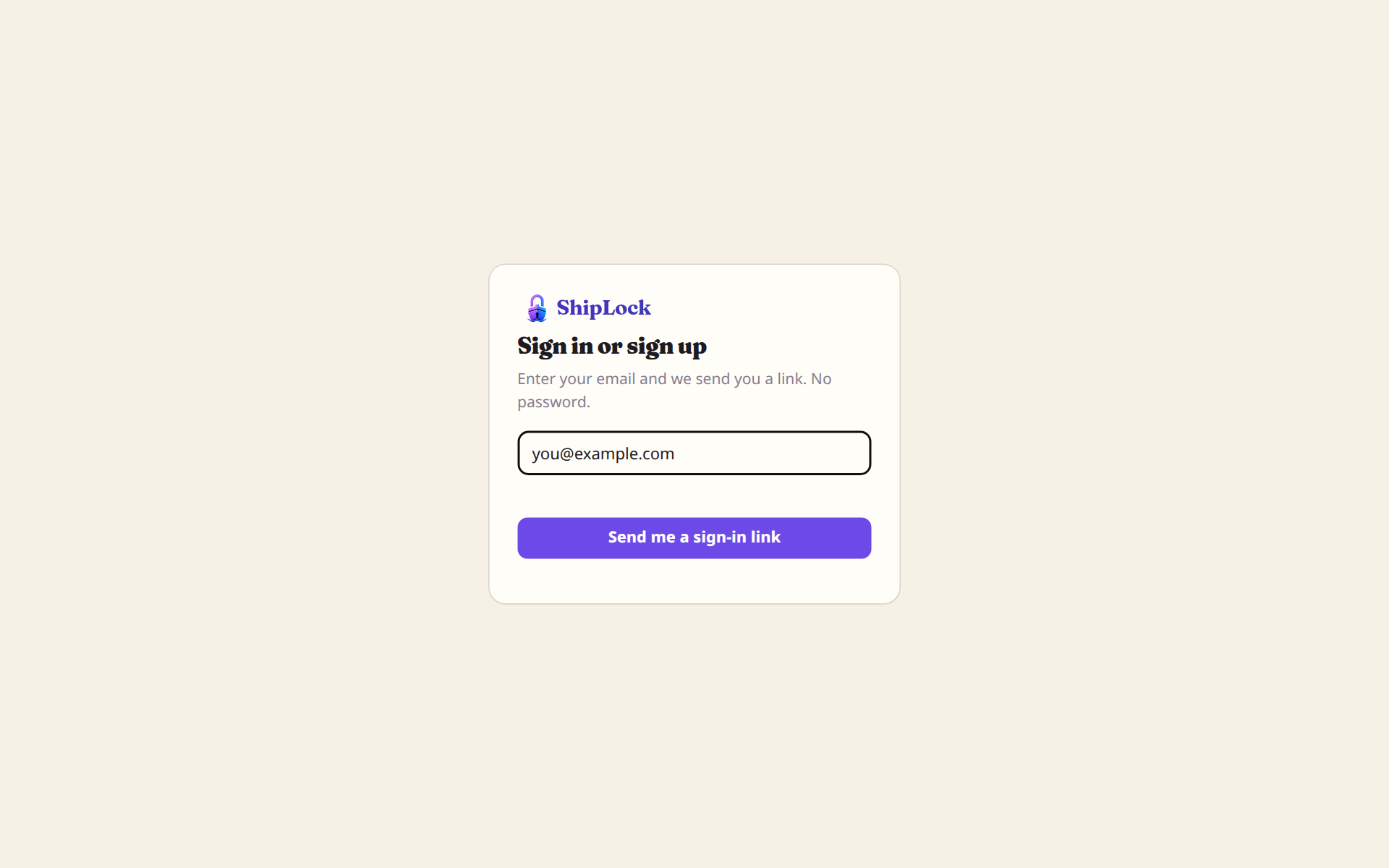
Sign in with an email. There is no password.
Type your address, open the mail, tap the link. That's the account. If you picked a starter on the front page, it's already made and waiting when you land.
-
2
Pick a starter, or drop in the file your AI wrote.
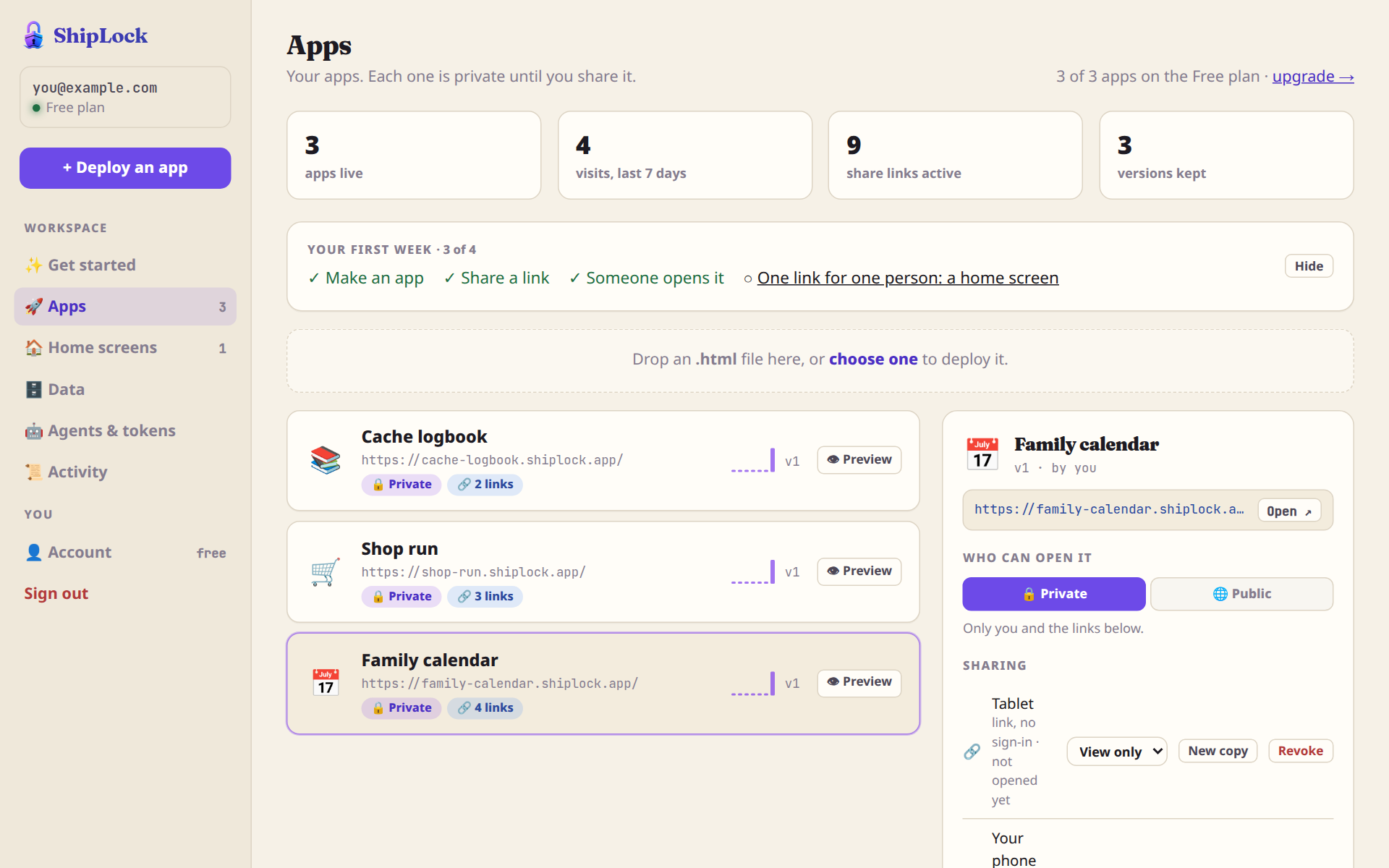
The dashboard is a list of your apps. Each one is private until you share it. Drop an HTML file on it, choose one of ours, or let your AI deploy straight in: Claude Code and any agent with a shell read shiplock.app/skill and do it themselves.
Every app gets its own address on shiplock.app, a database it can write to, and a version history from the first upload.
-
3
Make a link for each person. Each link does one thing.
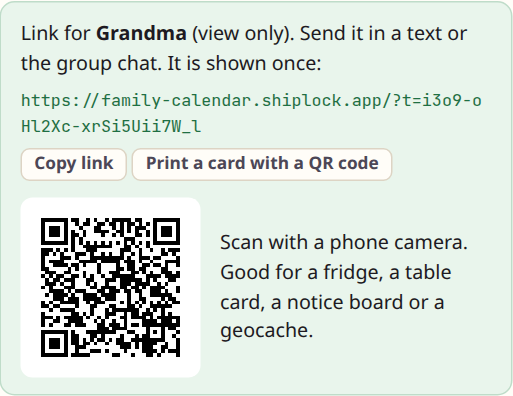
Name it after who gets it, pick what it may do, press the button. View looks. Add only adds and can't see the rest. Edit changes anything. The rule is enforced by the server, so the page can't be tricked into more.
Send it in a text, or print a card with a QR code for the fridge, the table or the notice board. Revoke it later and only that one stops. New copy gives the same person a fresh address.
-
4
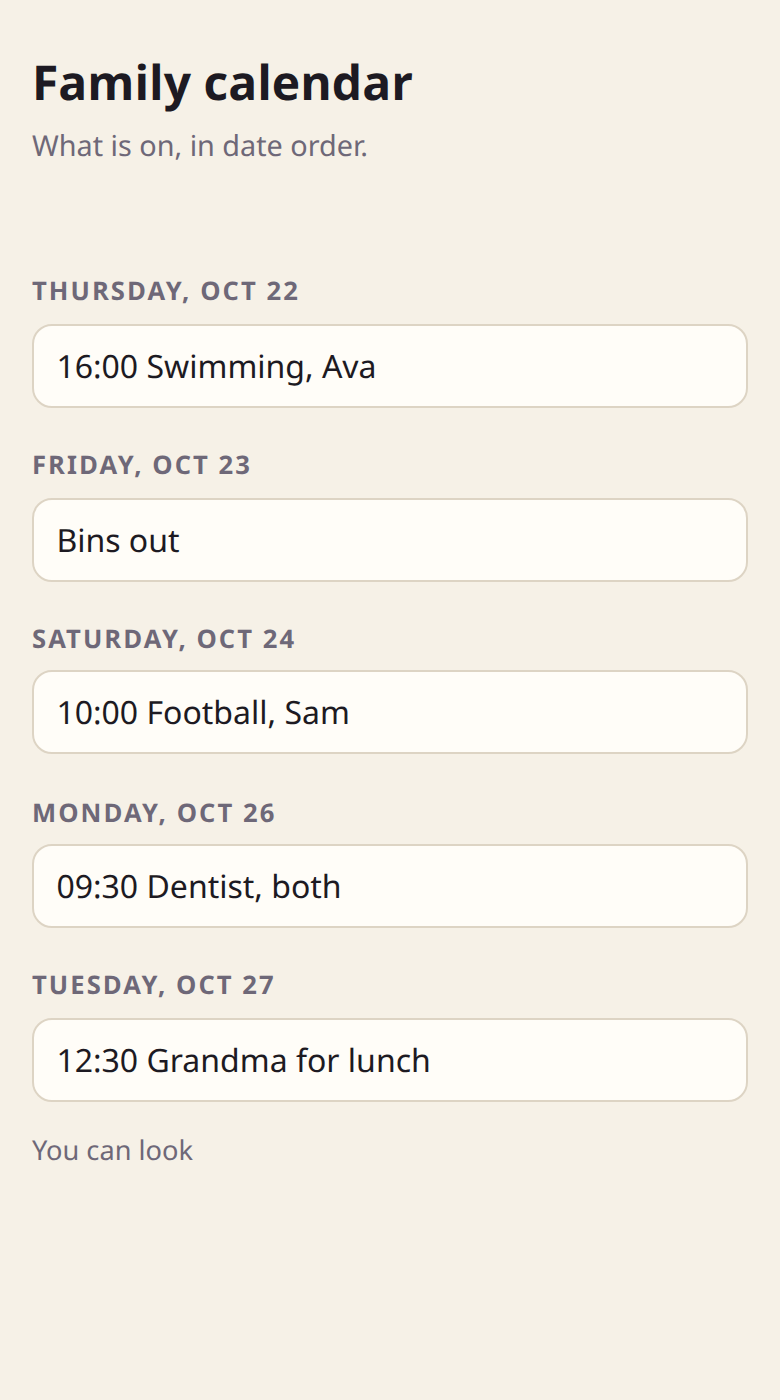
The same app, two links.
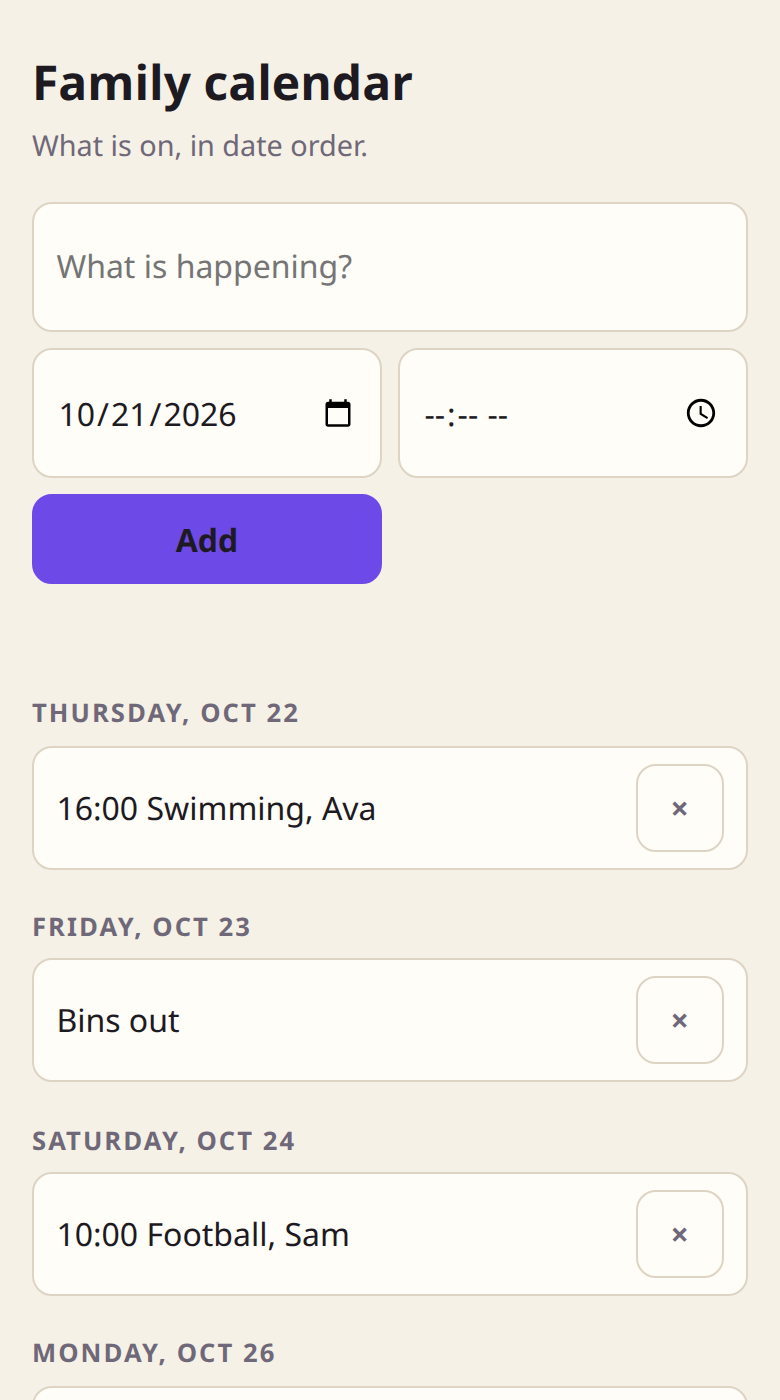
On the left, the tablet's View link: the week, nothing to tap. On the right, your phone's Edit link: the same page with the form and the delete buttons. One file, one database. The link decides what shows.
-
5
Change it by asking.
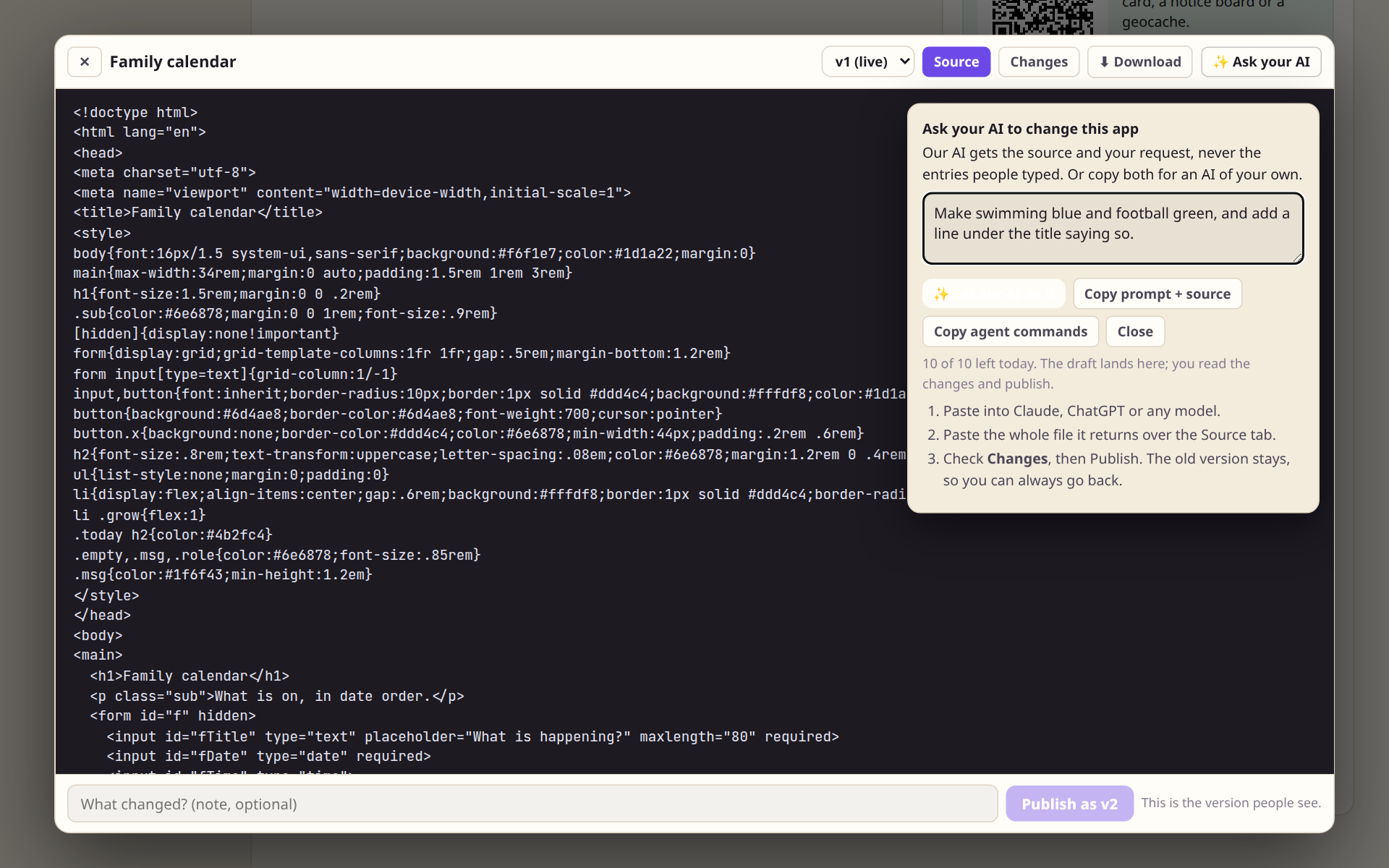
Open the source, press Ask your AI, say what should change. Let our AI do it sends the source and your sentence, never the entries people typed, and the draft lands in the editor. Or copy the prompt and source for an AI of your own.
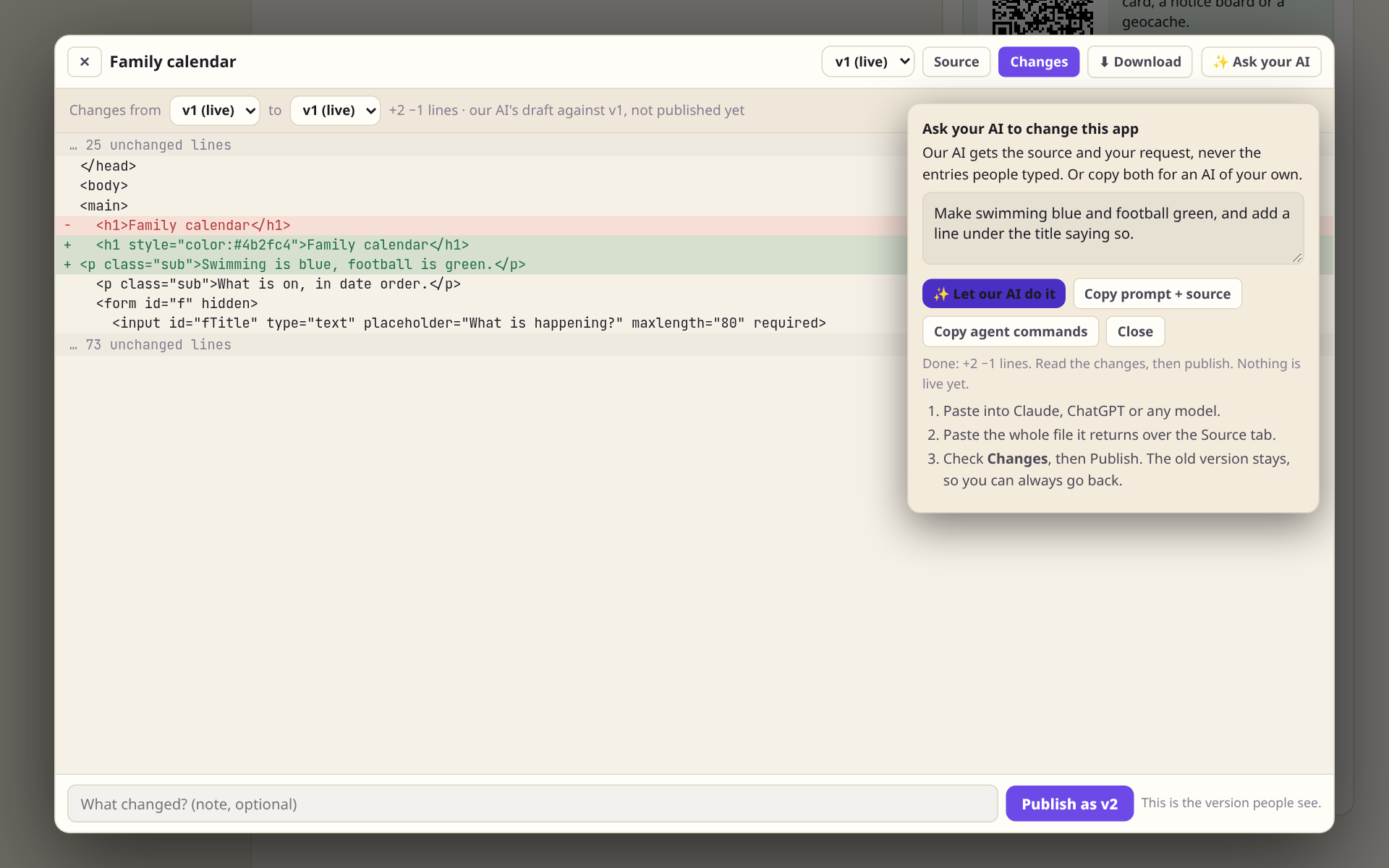
The Changes tab shows exactly what moved, line by line. Nothing is live until you press Publish.
-
6
Every version is kept.
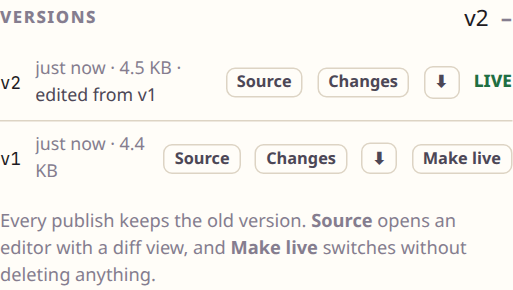
Publish makes v2 and keeps v1. If the new one is wrong, Make live puts the old one back without deleting anything. Each version can be read, diffed and downloaded.
-
7
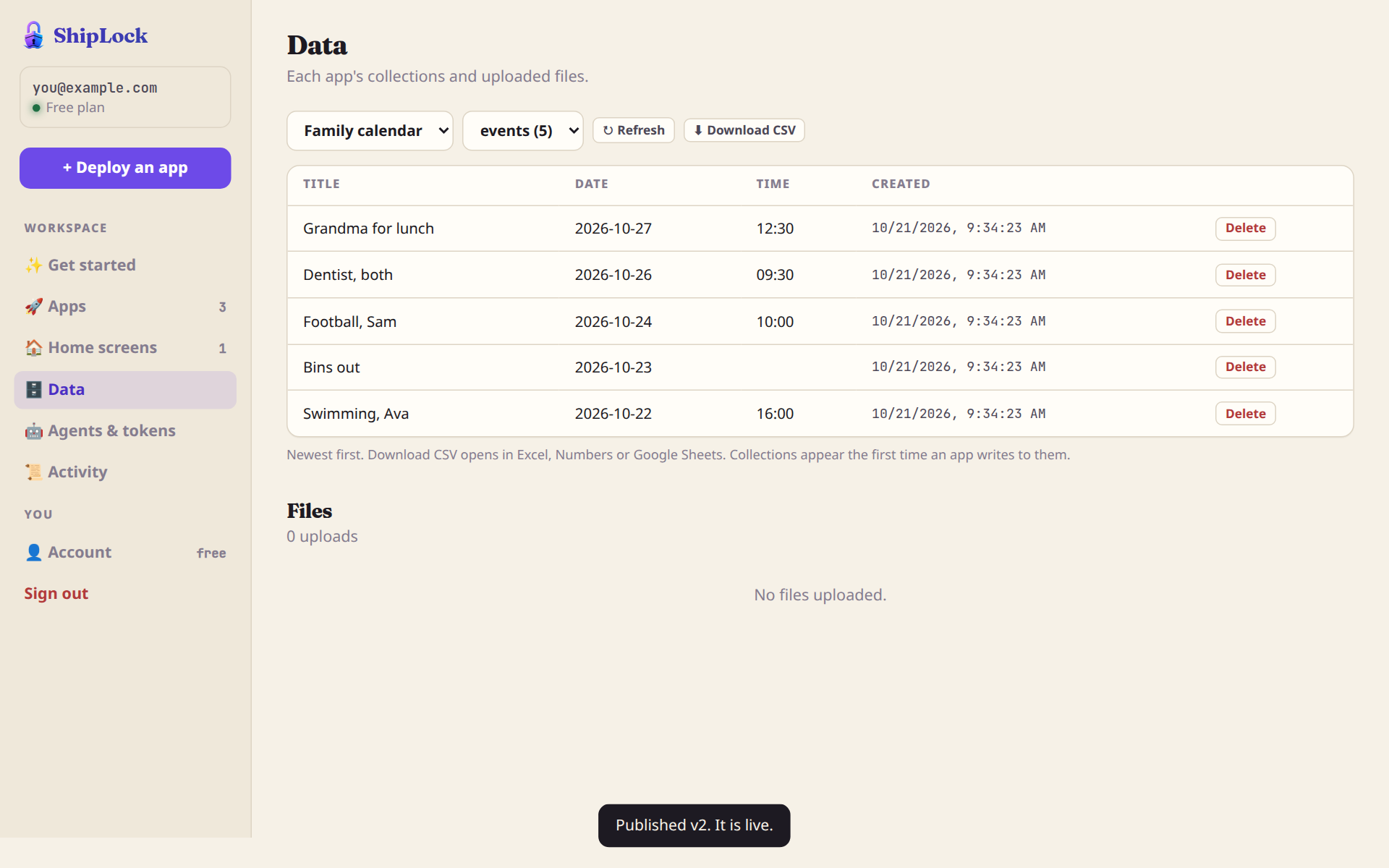
Your data is a table you can download.
Everything an app stores is in Data, newest first, with a CSV button that opens in Excel, Numbers or Sheets. Delete a row, tick a box to get a daily email of new entries, and close an Add-only link at a set time when the sign-up is over.
Three more things, no screenshot needed.
- Home screens. A phone-style page with an icon for each app you choose, with the right link baked into each. Grandma gets one link, adds it to her phone, and has everything.
- A trial for your AI. An agent can make three apps for a week with no sign-up. They stay private and carry a banner until you keep them with your email.
- Report. Every page carries a small ShipLock mark with a report link, so a stranger who lands on something wrong can tell us.