ShipLock · ideas ·
The $600 kitchen calendar is a tablet showing a web page
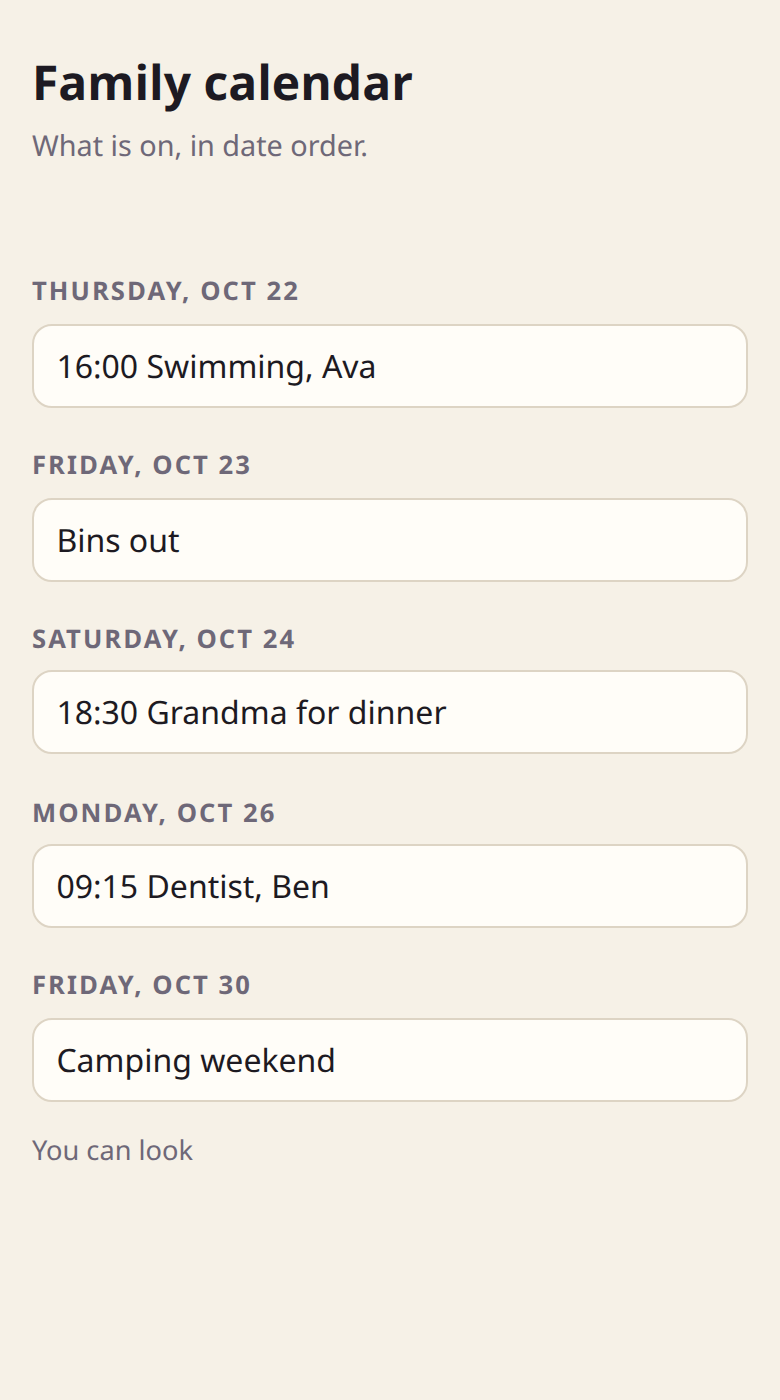
You have seen them. A big screen on the kitchen wall with the week on it, colour-coded per child, and an app for the parents. The current favourite lists at $599.99 at the warehouse clubs, with a subscription on top for the features you actually wanted. Take the frame off and it is a tablet, a web page, and a login. Our family made ours in an evening, and it cost us the tablet we already owned.
What you are paying for
The hardware is an Android tablet with a nice bezel. The software is a calendar page that the tablet shows full screen, and a phone app that edits it. The subscription pays for the server that keeps the two in sync, and for whatever they decide next year is premium. None of that is wrong. It is just a lot of money for the shape of thing an AI will now write you in a minute.
What makes it work on the wall is not the hardware. It is the rule: the tablet can look, the phones can change. Nobody has to log out of anything, nobody's thumb can delete the dentist, and a visiting six-year-old can poke at it all afternoon.
What we did instead
- Found a tablet. Ours was the iPad in the drawer with the cracked corner. A new Fire tablet is about the price of one month of someone's streaming. Either is more than enough for a page that shows the week.
- Made the Kitchen calendar. It is one of the starters on the front page: pick it, type your email, tap the link in the mail. It arrives already made, with two links: View for the tablet and Edit for your phone.
- Opened the View link on the tablet. Added it to the home screen so it opens full screen, turned on the setting that keeps the screen awake, and switched on Guided Access (Screen Pinning on Android) so it stays on that page. That is the "mode" the expensive one charges for.
- Sent the Edit link to the other phone. It is a long random address, so a group chat with your partner is the right place for it. Add it to the home screen there too. Now both parents change the week from wherever they are, and the wall updates when anyone looks at it.
The part that surprised us
Once the wall could only look, we stopped being careful with the links. Grandma got a View link too, on her phone, so she stopped ringing to ask what Thursday was. The babysitter got one for the week she covered, and we took it back afterwards; that one link stopped, the others kept working. Nobody made an account. Nobody installed anything from a store.
When the kids wanted their swimming in blue and football in green, we opened the app in the dashboard, pressed Ask your AI, and typed that sentence. The new version came back with its changes marked, we read them, pressed Publish, and the wall picked it up. The old version is still there if we ever want it back.
What it doesn't do
It does not pull in your Google or Outlook calendar. Ours is the shared family week, typed in by hand, which turned out to be the part we wanted on the wall anyway. If you want sync, ask your AI to add an import from a calendar link; it is a page, so it can do whatever a page can do. And it is not a 27-inch screen. It is whatever tablet you have, which for most kitchens is plenty.